You may have been redirected to this page when attempting to access the /mcp path to your HelpGuides.io documentation.
Model Context Protocol (MCP) is an emerging open standard that defines how AI systems interact with external tools and knowledge sources in a structured, predictable, and programmatic way.
Rather than relying on scraping web pages or processing unstructured text, MCP allows AI clients to discover available capabilities, query systems using well-defined inputs, and retrieve results in consistent, machine-readable formats.
This enables AI assistants, agents, and retrieval-augmented generation (RAG) workflows to integrate external context reliably, turning documentation and services into first-class components of an enterprise AI stack while reducing fragility, ambiguity, and long-term integration risk.
Content published in HelpGuides.io is automatically structured and chunked at publish time. Long articles are broken into logically related sections based on headings, then tokenized and indexed as discrete units.
This approach allows search to retrieve only the most relevant portions of content for a given query, improving response accuracy.
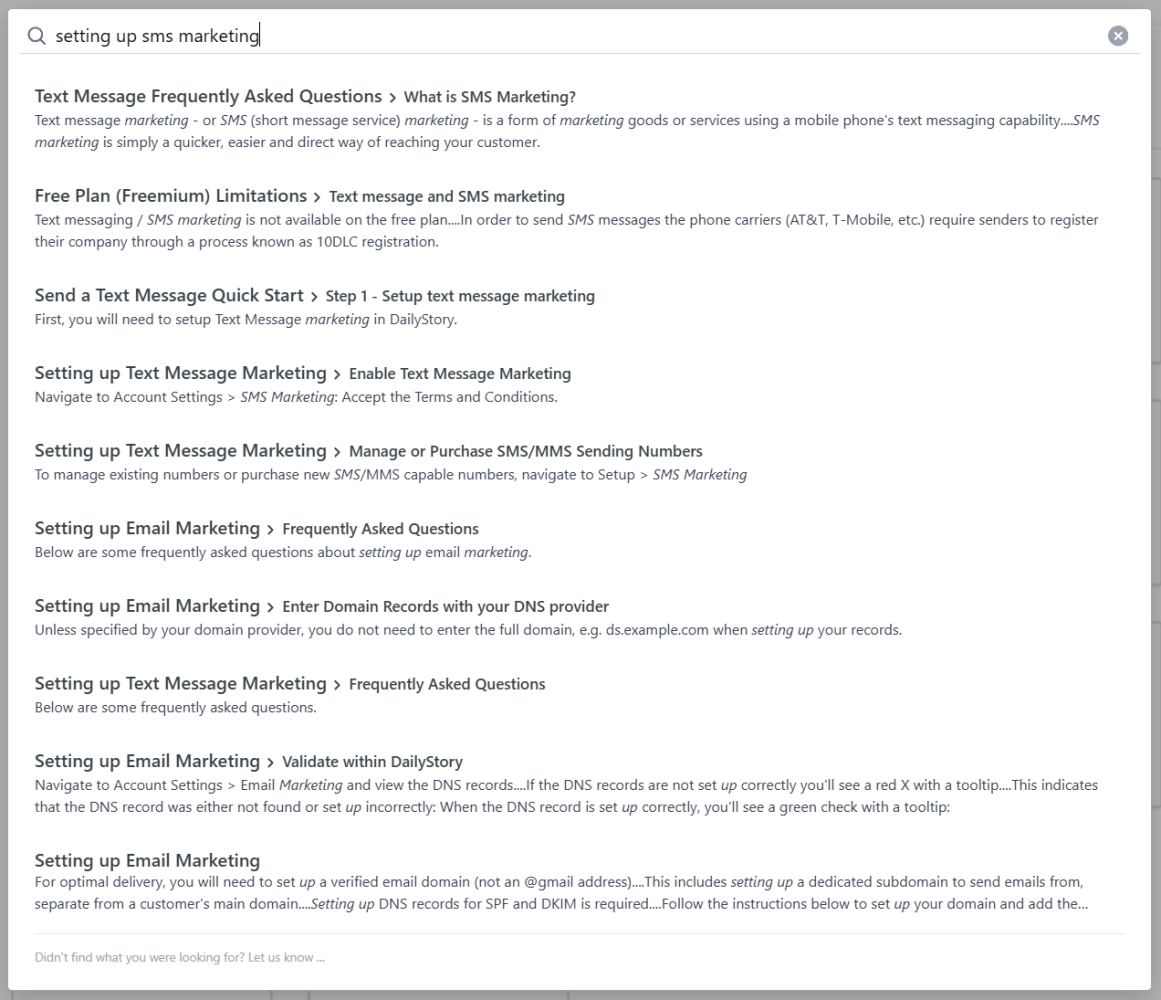
You can see this when searching for content in the UX as search can show relative sections. For example, there are multiple results returned for the article Setting up Text Message Marketing:
With support for Model Context Protocol (MCP), downstream AI tools, such as Microsoft Copilot when integrated via MCP, benefit from this same structure content approach. And most importantly, no longer need to rely on scraping HTML.
Instead, documentation is exposed through a clean, structured, and pre-chunked interface, ensuring that only the content most relevant to a given query is returned. In practice, MCP enables applications to interact with structured knowledge sources more intelligently, retrieving precise context optimized for retrieval-augmented generation (RAG).
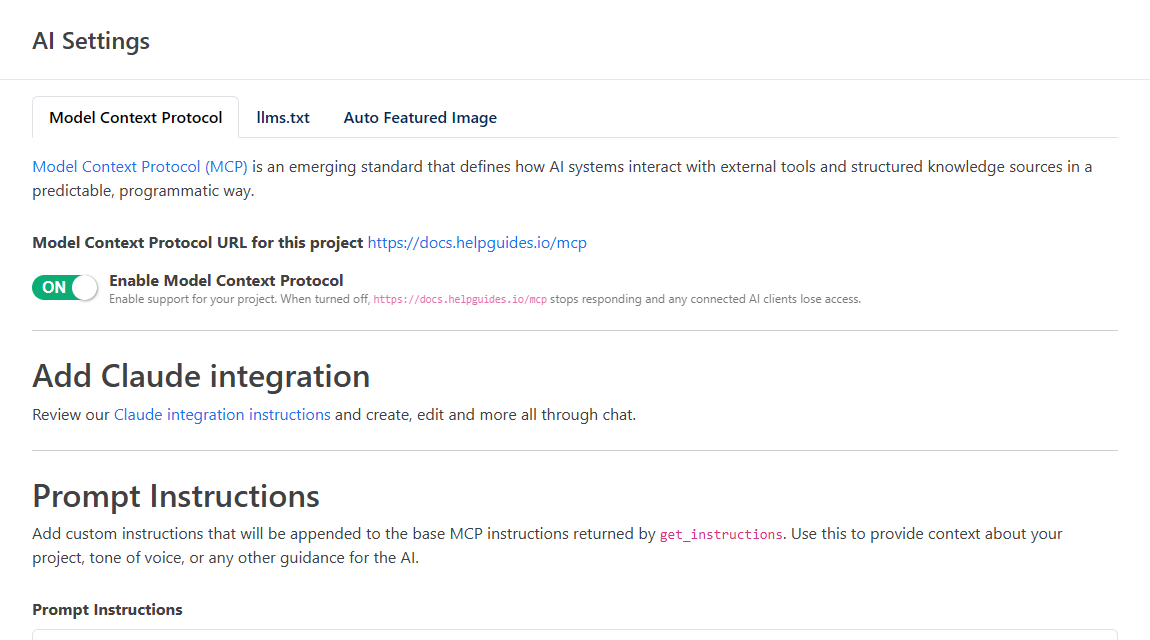
Open your project, click AI Settings and stay on the Model Context Protocol tab. Make sure Enable Model Context Protocol is on, then copy Model Context Protocol URL for this project. It's your site's domain followed by /mcp:
AI assistants sign in with OAuth: the first time you connect one, you sign in to HelpGuides and approve its access. When the switch is off, the URL stops responding and connected assistants lose access. See AI Settings and, for every tool the endpoint offers, Model Context Protocol Endpoints.
You can connect your MCP URL to any AI assistant that supports remote MCP servers. See the instructions for:
You can test your MCP endpoint with curl. Every request needs an OAuth access token in an Authorization: Bearer header. Without one, the endpoint replies 401 with a WWW-Authenticate header that tells MCP clients where to sign in.
Note, in practice, these interactions are handled automatically: an MCP client queries the server, discovers the supported capabilities and endpoints, and then invokes the appropriate endpoint to fulfill a request.
The first request initializes a session. It returns the server info and an Mcp-Session-Id header, which you send with every later request:
The response includes the Mcp-Session-Id header:
Next, call a tool using the session ID. This example calls the search tool:
For the full list of tools and their parameters, see Model Context Protocol Endpoints. To have an agent act on instructions you leave in the editor, see Review Comments and AI Agents.