Yes, add as many as you need to.
The FAQ block adds a question and answer that readers can expand and collapse. To add one, click + or type / on a new line and choose FAQ. Then type the question and its answer:

The answer can contain paragraphs and lists, with bold, italic, inline code and links. On your published article, the FAQ is shown collapsed, and readers click the question to open it:
Yes, add as many as you need to.
The question is shown as a heading. Choose its level in the block's tune menu, from Heading 2 to Heading 6. New FAQs use Heading 3.
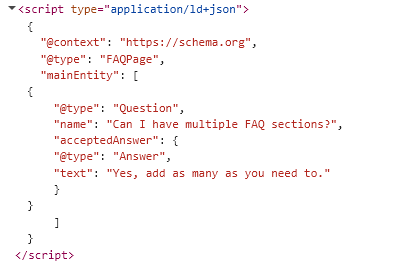
When your article is published, HelpGuides adds FAQ structured data (JSON-LD) for each FAQ. This helps search engines and AI tools understand your questions and answers:
Related: Editor Blocks Reference, Writing and Editing Articles.