AI Answers on Your Help Site
Readers can ask your help site a question in their own words. HelpGuides finds the most relevant published articles, writes an answer from them, and shows the articles it used. There's nothing to set up: every help site has AI answers.
Where readers ask questions
| Where | How it works |
|---|---|
| Search popup | Click Type ctrl-k to search in the sidebar, or press Ctrl+K (⌘K on a Mac). The popup is for questions: every question typed into Ask a question ... gets an answer. Before anything is asked, it shows up to five Recently updated articles. |
| Ask AI about these docs... | The box at the top of your docs home page and each category page. A question asked here opens the search popup with the answer. |
| Type to search | The search box above an article. It lists matching articles as you type, and answers the query when it looks like a question. |
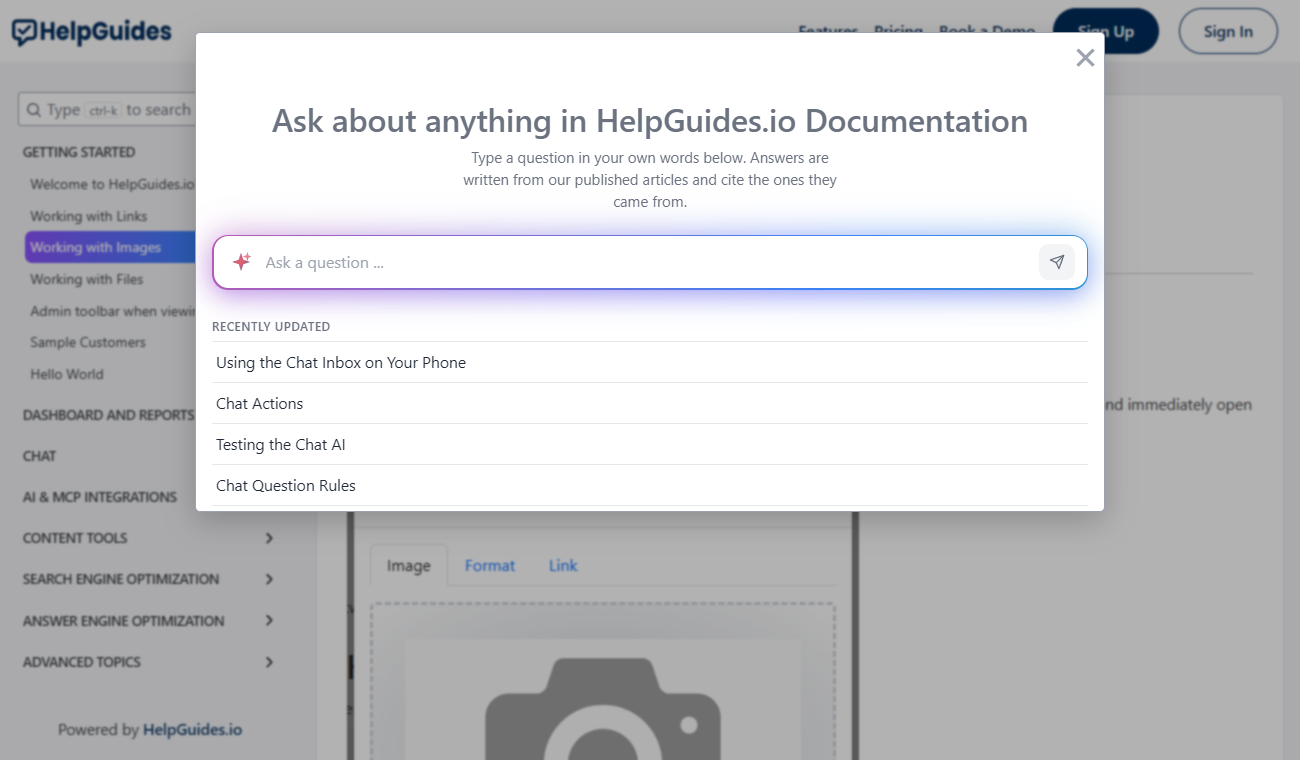
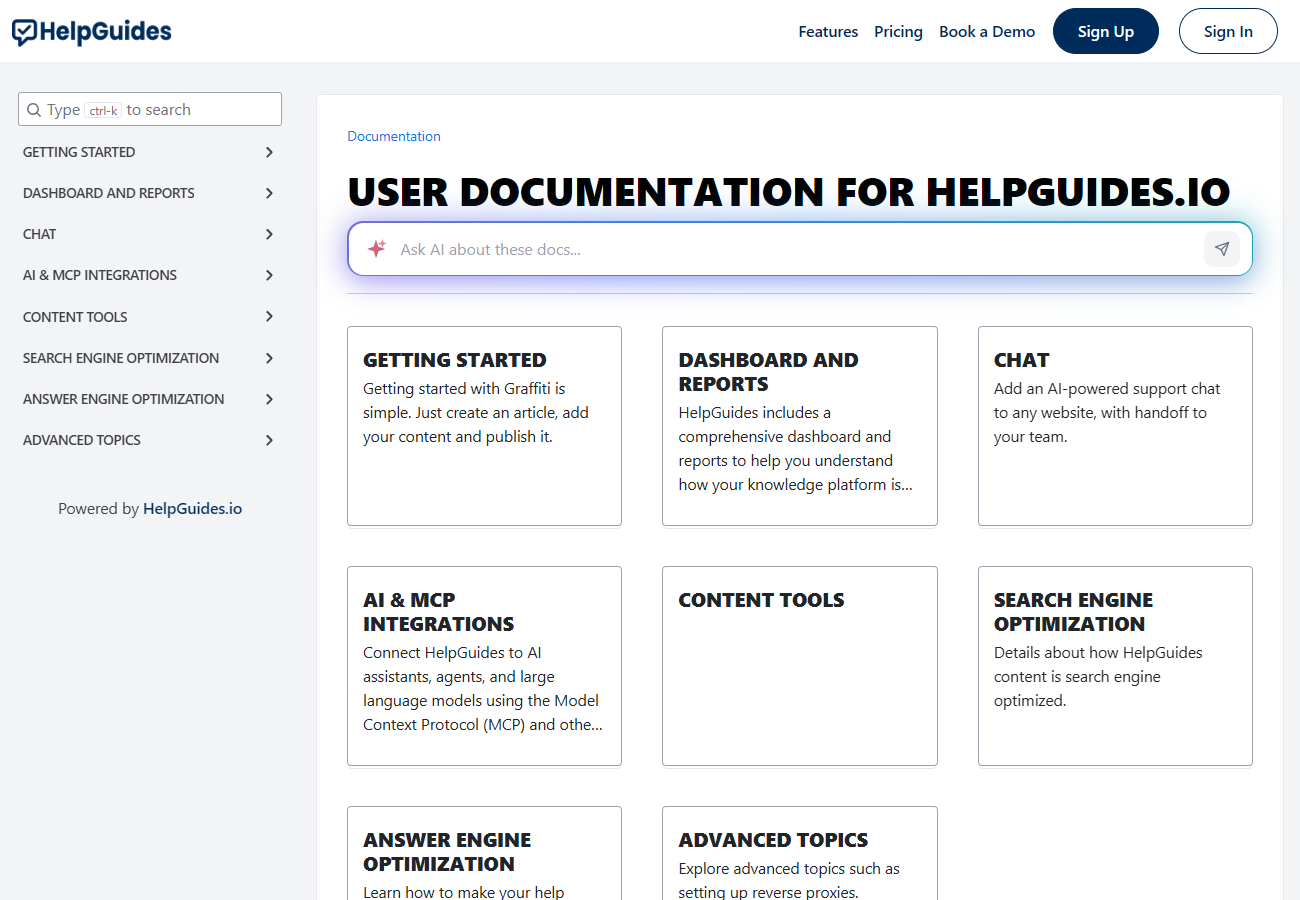
In the Type to search box, a query gets an answer when it ends with a question mark or starts with one of these words followed by a space: who, what, when, where, why, how, is, are, can, do, does, should or will. Anything else returns a list of matching articles.
What an answer looks like
- The reader's question appears, and the answer streams in beneath it, formatted with lists, bold text and links.
- When the answer is complete, the articles it was written from are listed as sources, up to three.
- Up to three suggested follow-up questions appear. Clicking one asks it.
- A Didn't find what you were looking for? Let us know ... link lets readers tell you the answer didn't help.
Follow-up questions
After an answer, the popup's box changes to Ask a follow-up .... Follow-ups are understood in context, so a reader can ask "does that work on mobile?" without repeating the topic. The last three questions and answers are sent along with each follow-up. Nothing is stored between visits: closing the popup starts a new conversation.
What the AI uses
- Published articles only. Drafts and scheduled articles are never used.
- The best matches. Articles are indexed in sections, split at headings, and the answer is written from the three best-matching articles.
- No outside knowledge. The AI is told to answer only from those articles and not to make anything up. If they don't cover the question, it says it doesn't have enough information to answer.
The best way to improve an answer is to improve the article behind it: clear headings, one topic per section, and the words your readers use.
Keyword search
Search matches by meaning by default, so "change my password" also finds "reset your login". To match exact words instead, start the query with keyword: in the Type to search box:
See what readers search for
The Dashboard shows Recent Searches, the searches where a reader clicked through to an article, and Search None Helpful, the searches where a reader clicked the Didn't find what you were looking for? link. Use them to find missing or unclear articles.
The same answers elsewhere
- In Slack, with
@HelpGuides. See Connecting Slack. - On any website, with the Chat messenger.
- In AI assistants, through Model Context Protocol.
- Through the public search API described by openapi.json.