HelpGuides supports serving your content through a reverse proxy, for advanced setups where your documentation or blog needs to live under a path on your main website.
For the sake of example, let's say you own a domain example.com. You have an existing website using that domain running WordPress where you host a blog: example.com/blog/example-name.
You then create a HelpGuides project at myproject.helpguides.io, and want to move your blog from WordPress to HelpGuides while keeping WordPress for your main website. A reverse proxy makes this possible.
Requests sent to example.com/blog/example-name are proxied to myproject.helpguides.io/example-name. The content is hosted at myproject.helpguides.io, but the browser URL and canonical URL remain example.com/blog/example-name.
A reverse proxy lets you:
Setting up a reverse proxy is an advanced task, but platforms such as Cloudflare make it relatively simple.
RecommendedIf you want to support a reverse proxy for your HelpGuides content, please contact support. Reverse proxy configuration is only available in our enterprise plans.
Setting up a reverse proxy with Cloudflare requires your domain's DNS to be managed by Cloudflare. If you can't move your DNS to Cloudflare, you can't use Cloudflare as your reverse proxy.
Your Application Domain is in Settings → General:
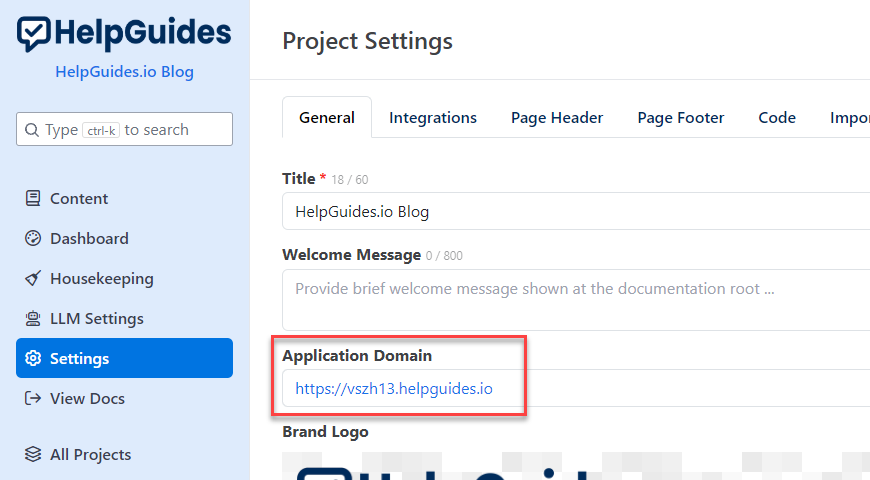
Without a reverse proxy, this is the address where your content is served. HelpGuides also supports custom subdomains.
Your canonical path is configured by the HelpGuides team. Once it's set up, you'll see it in Settings → Advanced → Canonical Path:
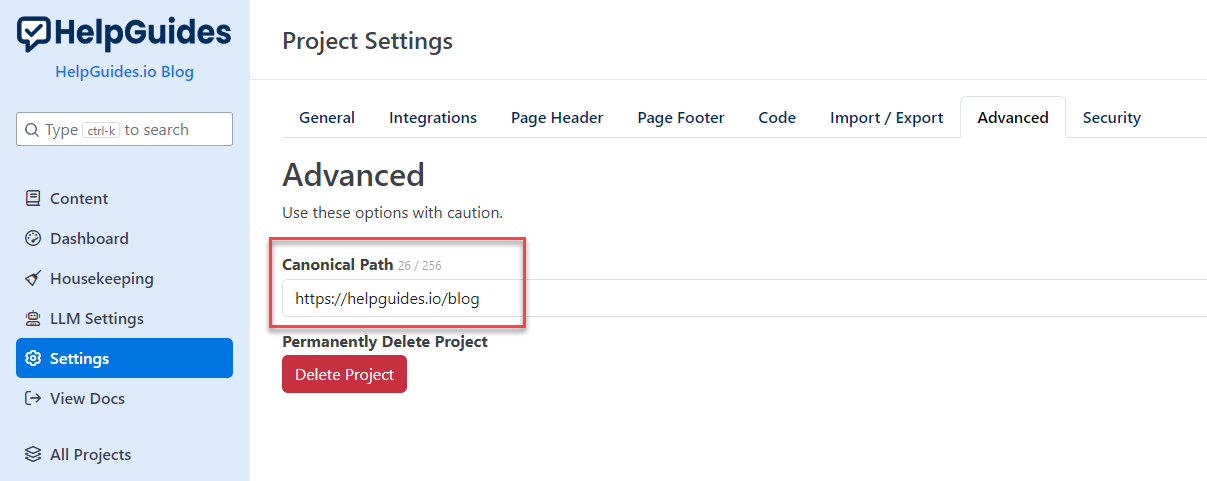
In this example, requests to https://helpguides.io/blog are mapped to the application domain https://vszh13.helpguides.io. Your setup would map, for example, https://yourdomain.com/blog to https://[your subdomain].helpguides.io. Once a canonical path is set, HelpGuides uses it for canonical URLs, sitemaps and feeds, and redirects visitors who go straight to the application domain.
Create a Cloudflare worker that forwards requests from your domain to your HelpGuides project. You'll need your Application Domain. The script below forwards any request whose path starts with /blog.
For example, a request to:
is reverse proxied to:
Replace the app_domain value with your own Application Domain, with no trailing slash. If you use a path other than /blog, change it throughout the script.
In Cloudflare, add a route for the worker that matches your path, for example example.com/blog*, so requests under /blog go to the worker and the rest of your site is unaffected. Then open a few URLs under /blog to check that articles, images and search work.
Related: Site Map, Feeds and Machine-Readable Formats, Finding Broken Links with the SEO Report (covers Force Trailing Slash).